
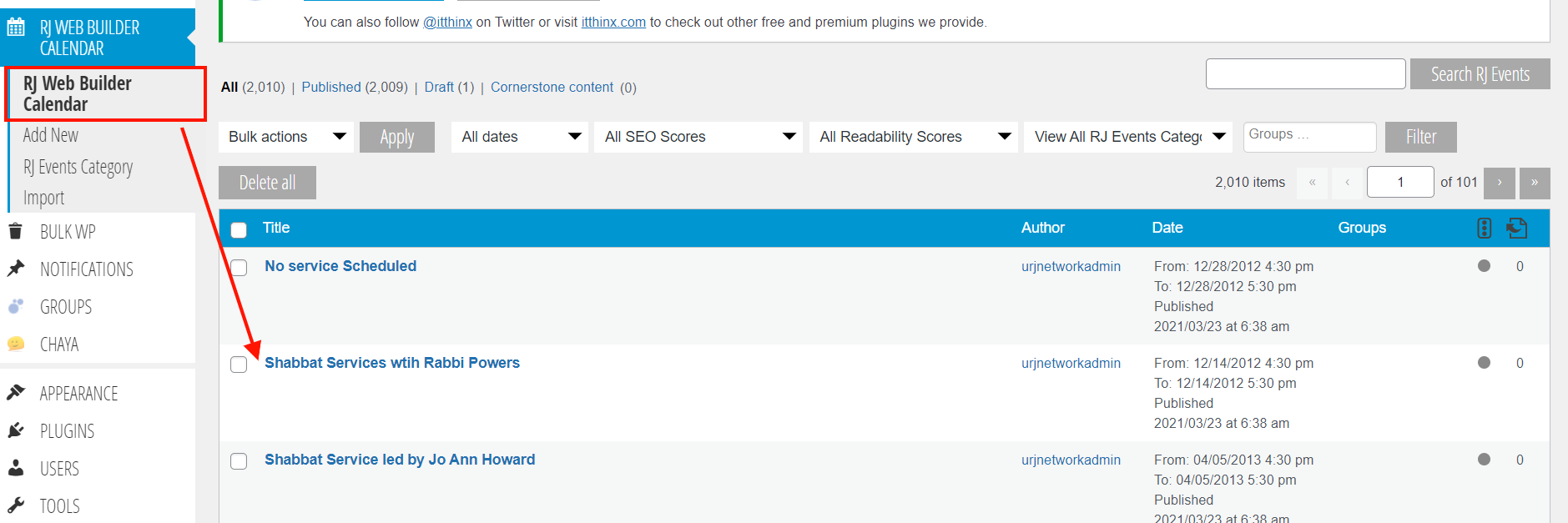
1) In the backend dashboard, click on the RJ Web Builder Calendar menu item. This is the events list. Click on the event title.
2) You should now see the event edit page. Here you can change 1) event dates, 2) event location and 3) event recurrence.
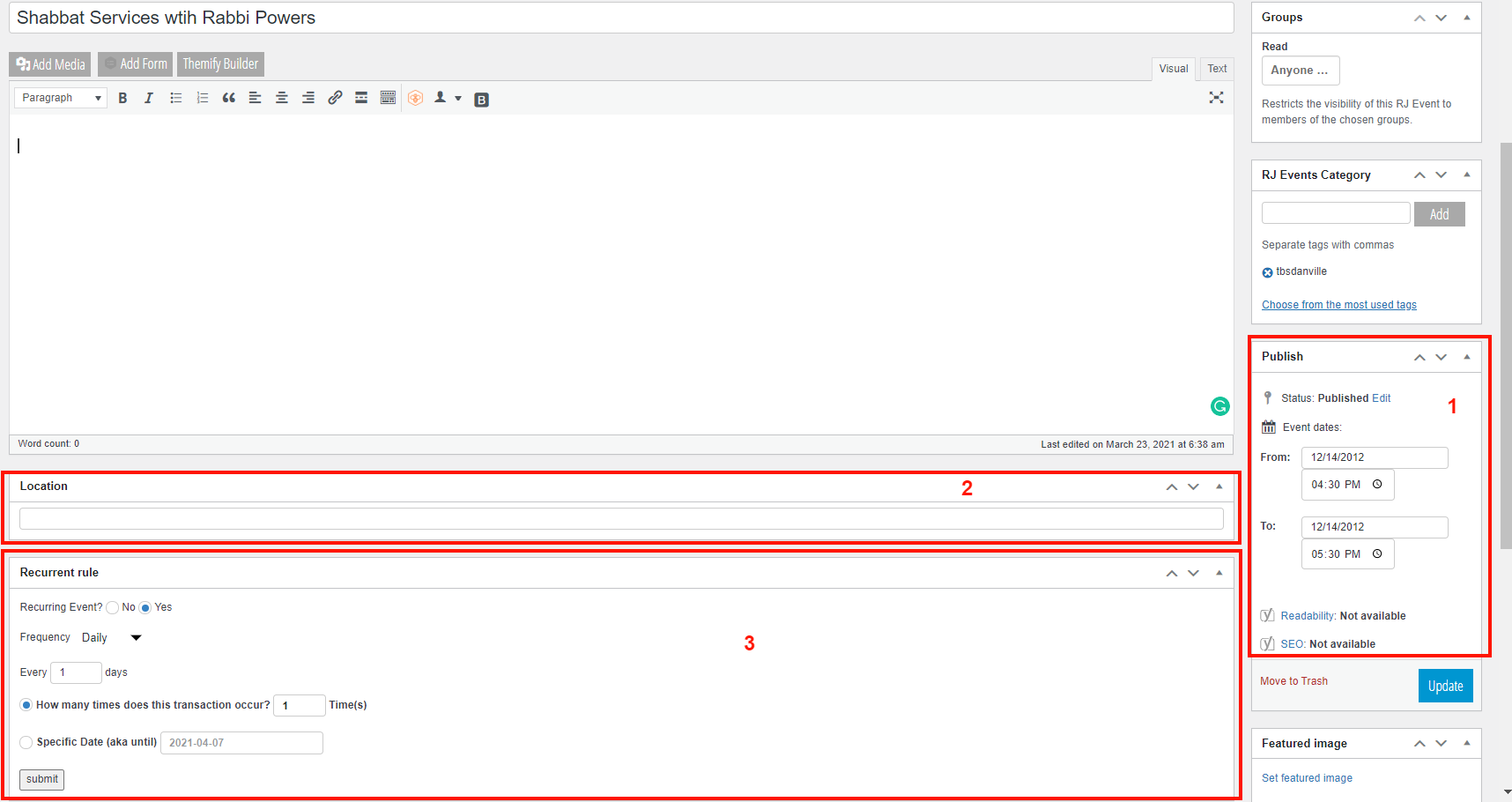
3) You can also change the event category, title or content and the featured image.
4) After you've made all changes, you need to hit the blue Update button.
Please note: The system will remember the initial source of the event. If it was created by WordPress, an import will not affect it. But if the event was created in google, it must be updated there first. Then the import will overwrite the event in WordPress with any updates.