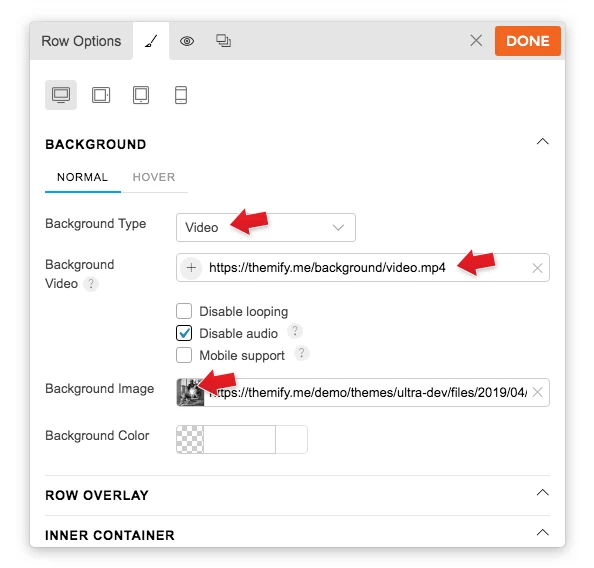
To display a background video:
- With the Builder turned on, select the row where you want to show the video background > select Styling icon > Styling Tab
- Background Type: Select "Video"
- Background Video: Choose to upload an mp4 video, or insert a YouTube/Vimeo link.
- NOTES:
- Audio must be disabled in order to have video auto play in background.
- Inserting a YouTube/Vimeo link won't allow users to toggle the video (i.e. play, pause, or mute). It will just auto play the video when users visit your site.
- Background Image: This is a fallback background image. You'll need to insert a fallback background image because the video background does not work on mobile.
- NOTES: