
If you want to integrate the Zoom plugin into your WordPress site, you first need to set up API keys.
For this plugin you’ll be using the JWT token method to make the API connection.
-
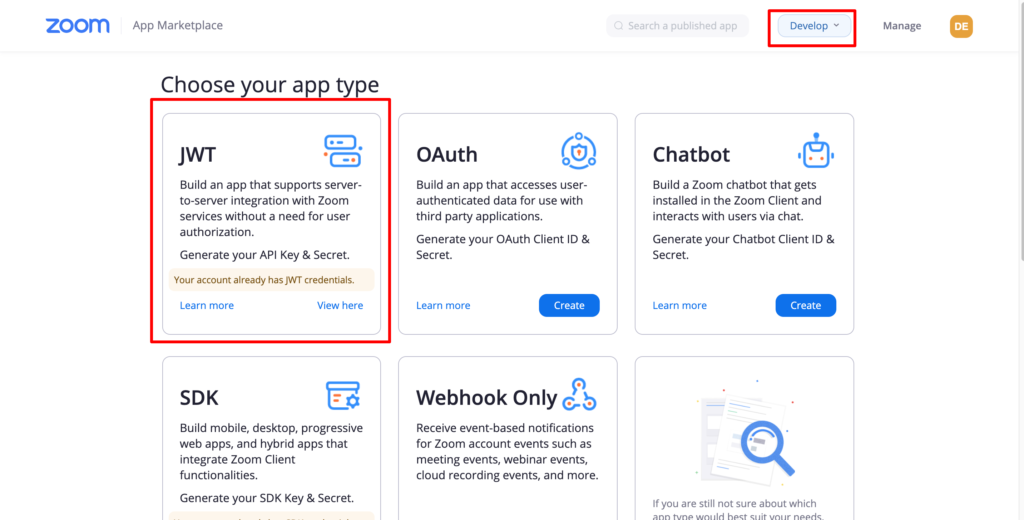
1. Sign into your Zoom account and go to Create Page
-
2. Click JWT and Create
-
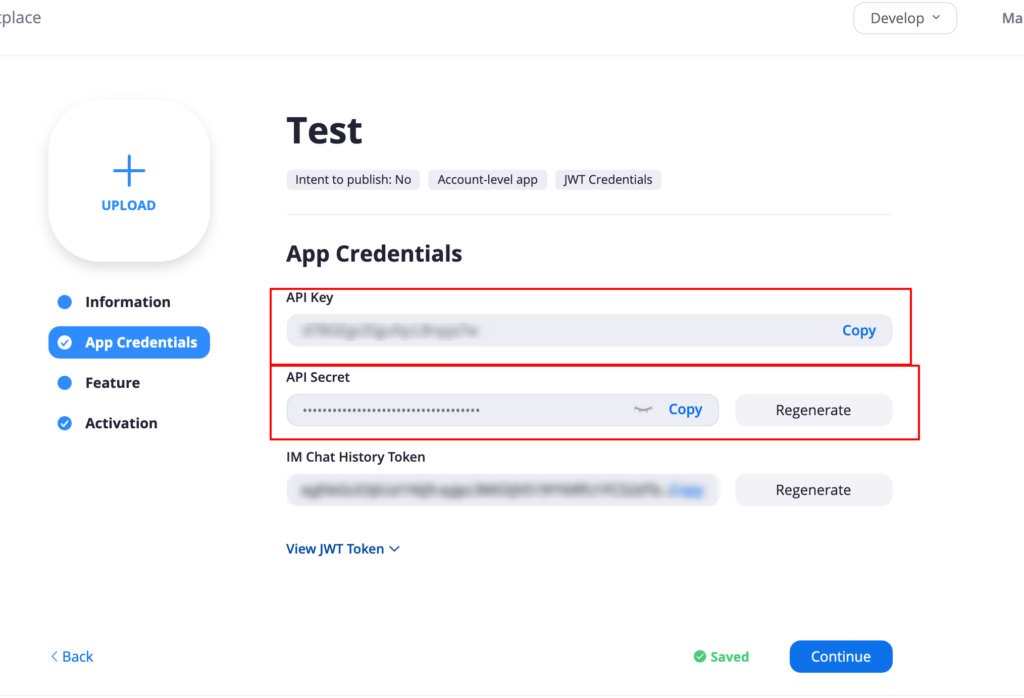
3. Next you need to get the API keys. On the next screen you should see Information, App Credentials, Feature and Activation menus
-
4. Fill in your basic information about the App.
-
5. On the Credentials Page. Copy both
API key and API Secretafter you have filled all the details in information page.
6. Go into your dashboard, click on the Zoom Meetings settings page and paste these credentials
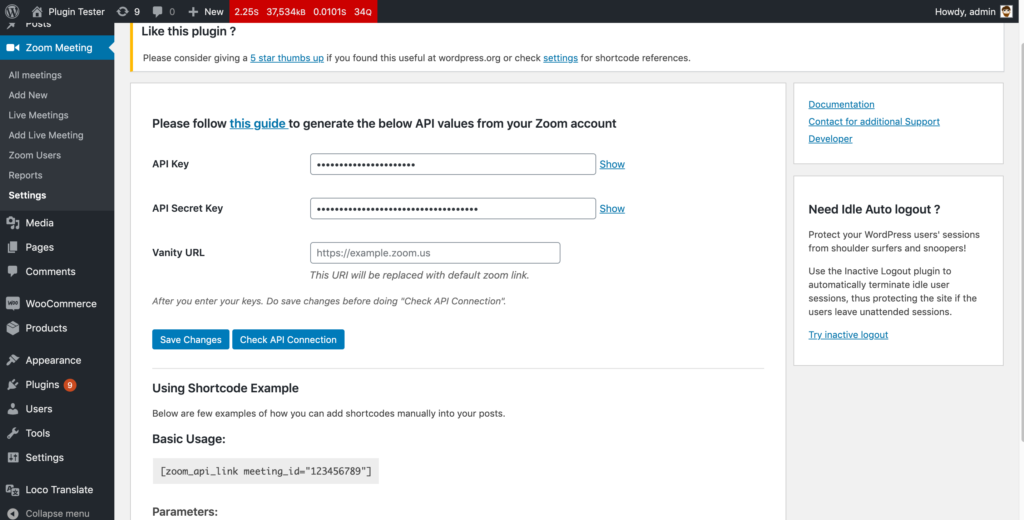
Click on Check API connection button to check if your API connection is good.