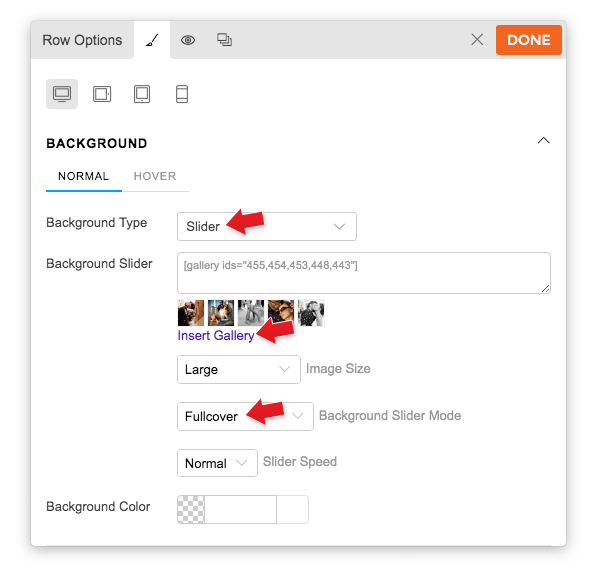
To display an image background slider:
- With the Builder turned on, select Row > Options > Styling Tab
- Click "Insert Gallery" and insert a gallery by selecting library images or upload images (it will then insert a [[gallery]]shortcode in the textarea)
- Image size = Select the size of the image that you would like the images to appear
- Under "Background Slider Mode", you can select:
- Fullcover = slider images will scale to fully cover the row.
- Best Fit = slider images will automatically fit within the row.
- Ken Burns = the background images will pan, zoom, and fade slowly providing a unique visual effect.