
If you want to duplicate an event, go to the the event list in the backend of your site. Hover over an event and you'll see a duplicate option.
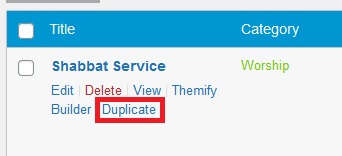
When you click on Duplicate, the copied version will show up as a draft. You can then edit event, change the date and Publish.